
Getting Started
Welcome
This portal is the cockpit for your automated trading account. You bring the alerts and the rules; the portal places, watches, and closes the trades for you on your linked brokerage account in real time.
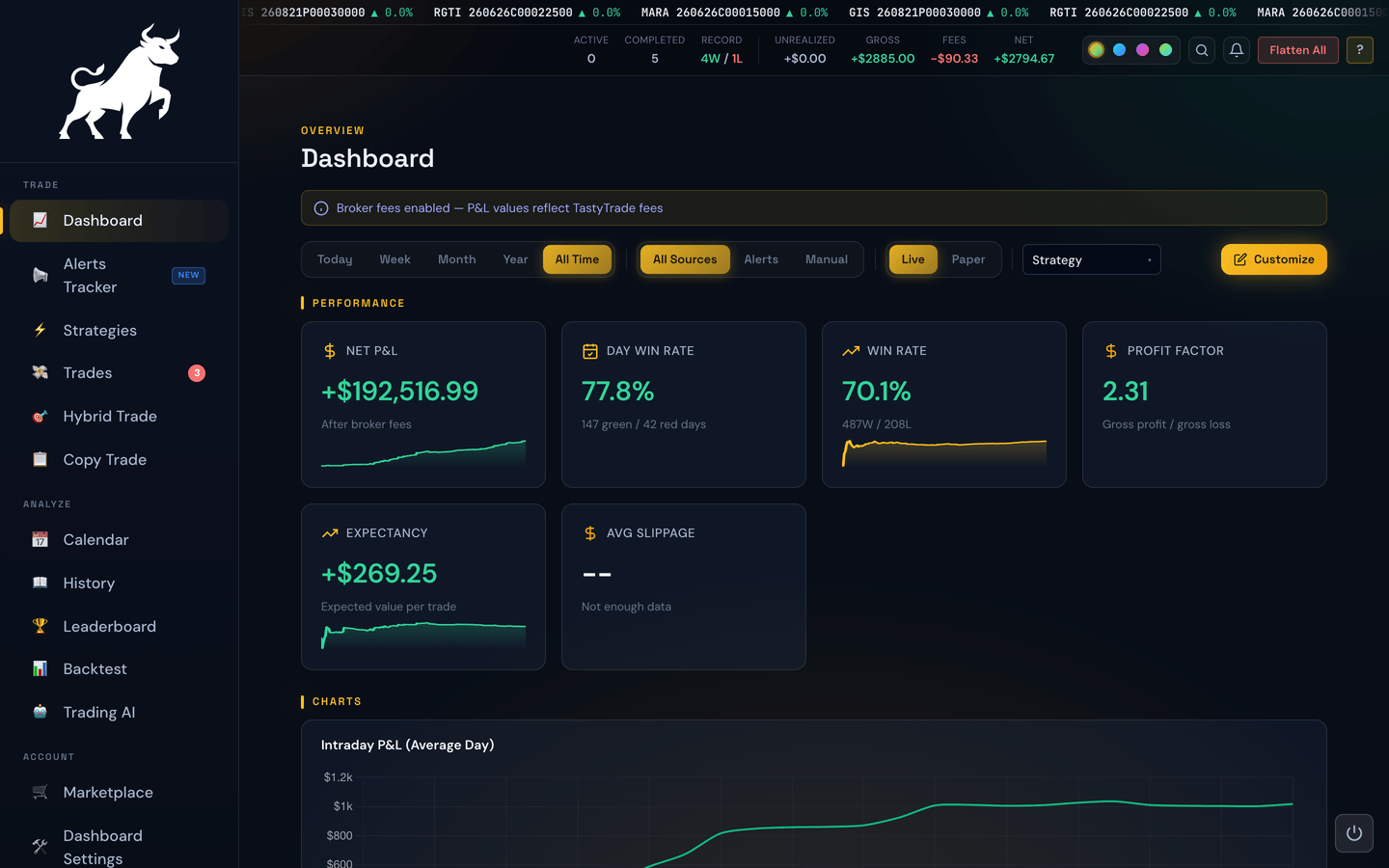
Everything you can do here falls into one of four buckets:
- See what's happening right now — open positions, live profit and loss, today's score.
- Set the rules your bot follows — when to enter, when to exit, when to stop for the day.
- Look back at how you've done — every closed trade, every winning and losing day.
- Take manual action when you want to — open a trade by hand, close one early, or shut everything down.
Tip
Nothing you change in this portal trades for you instantly on its own. Trades only happen when an alert comes in and your rules say yes. You're always in control of the rules.
A quick map of the sidebar
The left-hand sidebar is your menu. The pages there are the only places you ever need to go:
- Dashboard — your scoreboard.
- Trades — what's open right now.
- History / Calendar — what's already happened.
- Strategies / Trading Settings — the rule book.
- Hybrid Trade / Copy Trade — manual entry.
- Backtest — try rules against past alerts before going live.
- Marketplace — subscribe to more alert sources.
- Leaderboard — see how everyone's doing.
- Dashboard Settings / Billing — preferences and your subscription.
You can open this Help any time by clicking the ? button in the top-right corner.