
Paper trading lets you run the whole portal with simulated money instead of real funds. The bot still listens to alerts, opens and closes positions, tracks profit and loss, and fills in your Dashboard, History, and Calendar — but nothing touches your real brokerage account. It's a full rehearsal of live trading with none of the risk, perfect for trying a new strategy or learning the app before you put real money on the line.
Turning it on
Open the Strategies page and find the Account Settings card. Switch your Broker to Paper. That's it — every strategy you run now trades on the simulated account instead of your live broker.
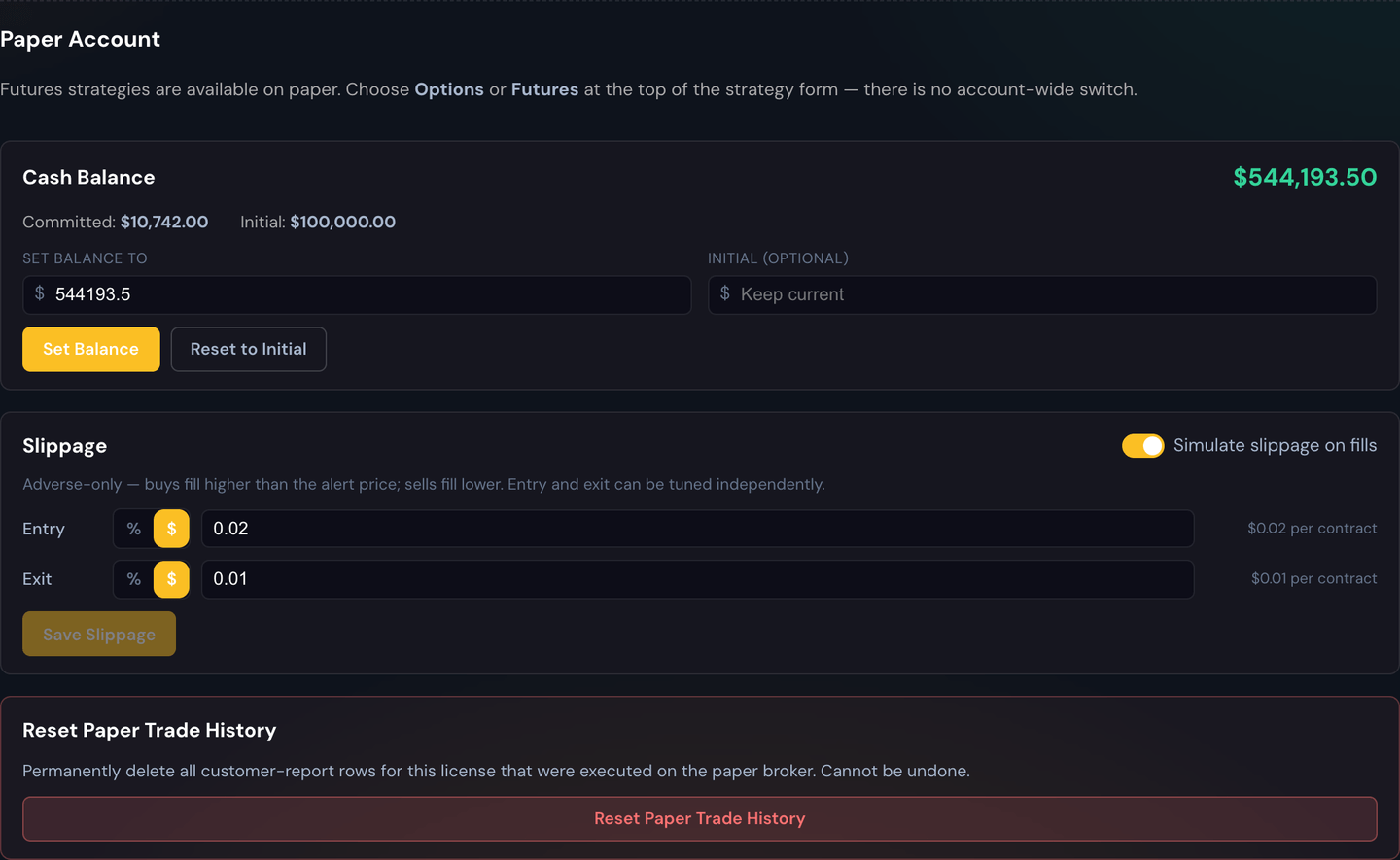
When Paper is selected, a Paper Account section appears with a few controls:
- Cash Balance — the virtual starting balance the simulator trades with. Set it to whatever you want to practice with, for example $10,000.
- Slippage Simulation — optional. Adds a small adverse difference between the alert price and your simulated fill so results feel more like the real market. You can set it for entries and exits, as a percentage or a dollar amount.
- Reset Paper Trade History — wipes every simulated trade so you can start a clean test.
Warning
Reset Paper Trade History is permanent. It clears your simulated trades for good — there's no undo.
How you know you're in paper mode
The portal makes it obvious so you never confuse practice with the real thing:
- A pink 🧪 Paper Trading Mode Enabled banner sits across the top stats bar.
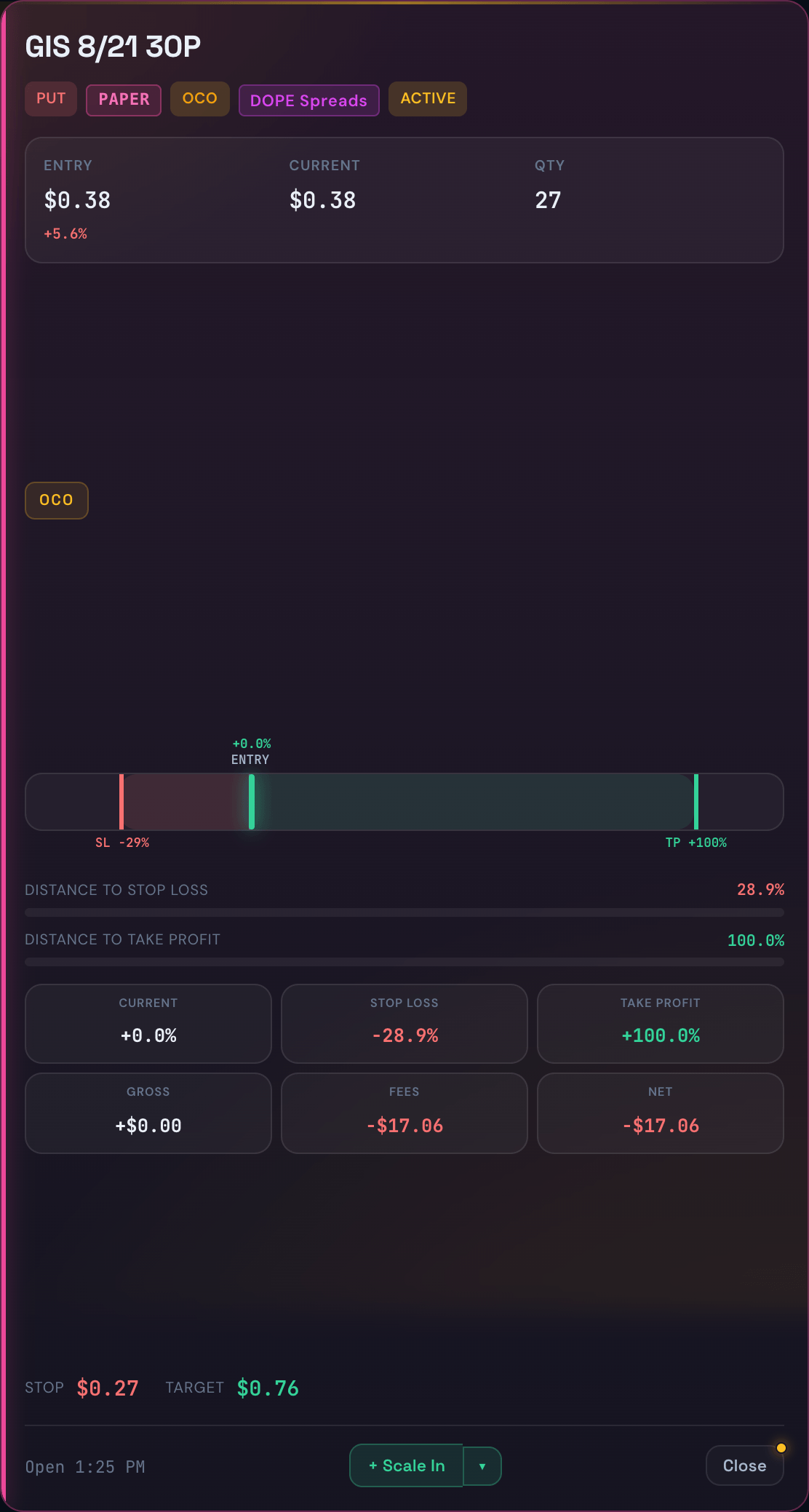
- Every paper trade carries a pink PAPER pill.
- Paper trade cards have a pink border and tint.

Real (live) trades never show any of this, so a single glance tells you which world you're in.
Everything else works the same
Paper mode isn't a stripped-down sandbox — it runs the same engine as live trading. Your alerts, strategies, profit targets, stop-losses, trailing stops, killswitch, and trade limits all behave exactly as they would with real money. Your Dashboard stats, Live Trades, Trade History, and P&L Calendar all populate from your paper results. That's the point: what you learn on paper carries straight over to live.
Example
Set your paper Cash Balance to $10,000, point a strategy at your usual signal source, and let it run for a week. The bot opens and closes simulated trades all week; your Dashboard shows the win rate, your History lists every fill, and the Calendar paints each day green or red — all without a single real dollar moving.
Going back to live
When you're ready to trade for real, open Strategies → Account Settings again and switch your Broker back to tastytrade (your live broker). The pink banner and pills disappear, and from that moment on your trades are real.
Tip
Paper is the safest possible way to start. If you're brand new, practice on paper until your week looks the way you want it to — then flip to live. See I Want to Start Safer for a conservative setup that works the same in both modes.