
If alerts are coming in but the bot isn't acting on them, run through this checklist. It's almost always one of these five.
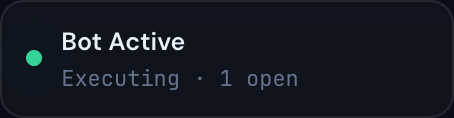
1. Is Trading enabled on?
Open Strategies (or Trading Settings). At the top is the master Trading enabled switch. If it's off, no trades will open no matter what.
2. Is the strategy itself enabled?
If you're using multiple strategies, each one has its own enable/disable toggle. The master switch can be on while a specific strategy is off. Check the strategy panel for the alert source you expected to trigger.
3. Are you inside the trading-hours window?
Check the trading hours setting. If an alert arrives outside the window, it's ignored. The window is shown at the top of the strategy/settings page; today's clock is visible in the OS taskbar.
4. Has a killswitch tripped?
If today's losses have hit your loss killswitch (or profits have hit your profit killswitch), the bot closes the positions it had open and stops trading for the rest of the day. The Dashboard and Trades pages show a red banner when this is the case, naming the target that was hit — and it has an Unlock Killswitch button if you want to resume today.
5. Is today a skip day?
If your settings skip FOMC days, expirations, or specific weekdays, today might be on the list. A banner at the top of the Dashboard and Trades pages says "Today is a skip day" when that's why.
Still stuck?
If you've ruled out all five and the bot still won't trade:
- Check the connection status indicator on the Trades page — if it says "Reconnecting…", wait a minute, then refresh.
- Check the License Status — if your account is deactivated, no trades will run.
- Make sure the alert source the strategy is subscribed to is actually firing. Look at the alerts feed on the Hybrid Trade or Copy Trade page to see what arrived today.
Tip
Nine times out of ten, the problem is item 1 or item 4. Check those first.